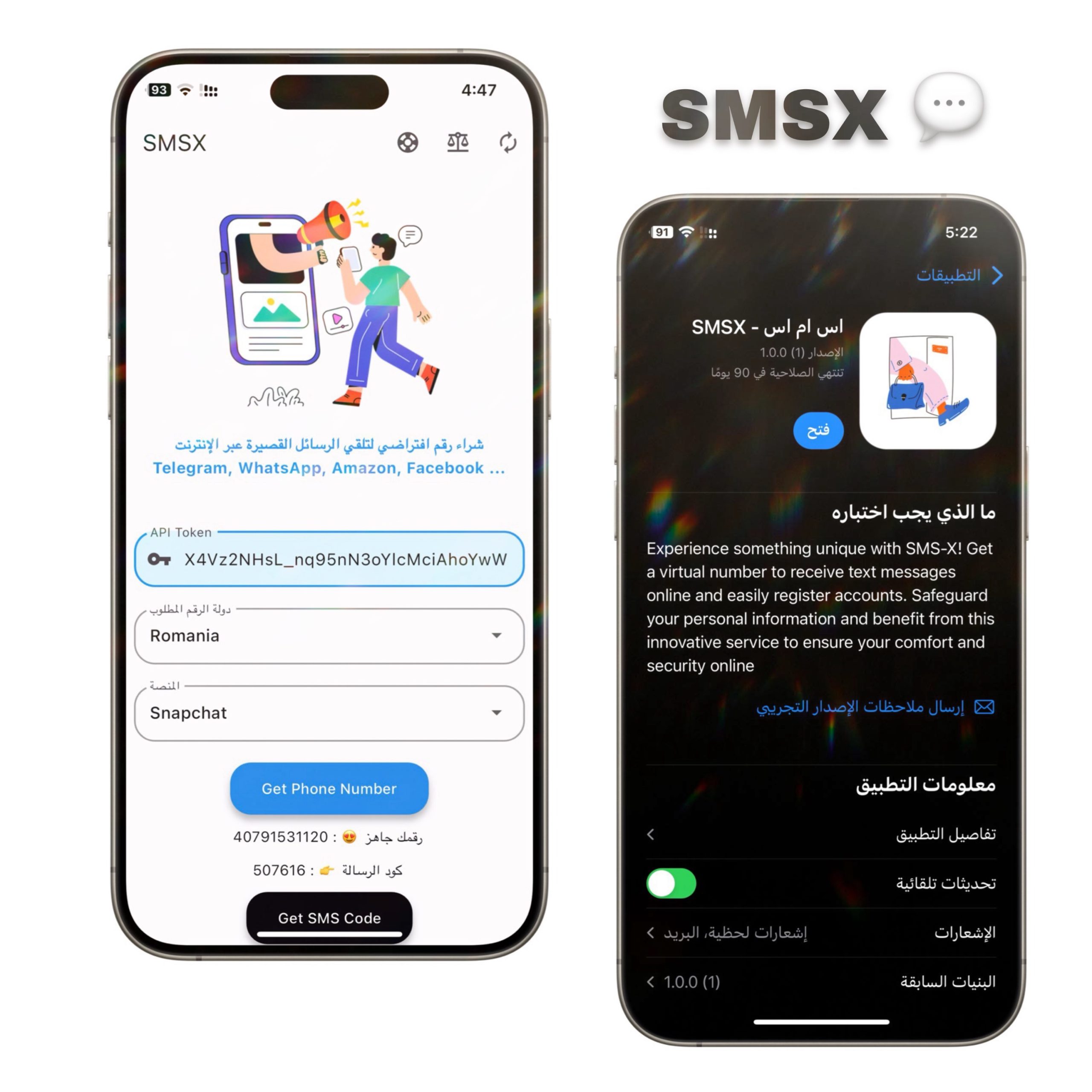
> For the complete documentation index, see [llms.txt](https://falah.gitbook.io/byethost-support/llms.txt). Markdown versions of documentation pages are available by appending `.md` to page URLs; this page is available as [Markdown](https://falah.gitbook.io/byethost-support/smsx-plus-documentation.md).
# SMSX Plus — Documentation
A secure, easy-to-use virtual number solution for receiving SMS online, built for reliability and privacy on Android & iPhone
#### ✅ Features
* 🔐 Receive SMS with a virtual number to protect your personal phone number
* 💳 One-time purchase — lifetime access + future updates
* 📱 Works on Android and iPhone (no jailbreak / no third-party app stores)
* 🧩 Open-source — full project available for review and customization
* 🔁 Flexible top-ups — top up inside the app or via SMS‑Man ([sms-man.com](https://sms-man.com))
* ⚙️ Lightweight, user-friendly GUI for managing numbers and messages
### 🧾 Files Overview
\
This file stores external service credentials and app-level configuration
```
# Example: smsman credentials and app config
smsAPi = {
"api_key": "YOUR_SMSMAN_API_KEY", # optional if you use API
"balance_threshold": 5.0 # USD-equivalent threshold to warn for top-up
}
app = {
"default_country": "SA",
"platform": "android" # or "ios"
}
```
`Flutter` – Main Application Logic\
Includes:
* App initialization and GUI
* SMS-Man integration (API)
* Virtual number management
* Message retrieval and history
* Simple session & settings storage
### 🧰 Requirements
* ✅ iOS or Android device (or emulator for testing)
* ✅ iOS 18+ (for xcode helper scripts, if used)
* ✅ Internet connection
* ✅ SMS‑Man account ([sms-man.com](https://sms-man.com)) for buying virtual numbers or recharging balance
### 🚀 How to Use
#### 1️⃣ Step One — Purchase & Download
* Buy the SMSX Plus package (one-time).
* Download the app
```url
https://bye-thost.com/product/smsx-plus
```
#### 2️⃣ Step Two — install App
* Add SMS‑Man API key if you plan to automate purchases via API
```
In the ( API token ) field after installing and opening the app
```
#### 3️⃣ Step Three — Acquire a Virtual Number (via SMSX)
Follow the steps below in “How to Top Up via SMS‑Man” to add balance and buy a number. You can also buy numbers manually on sms‑man.com and paste the number into the app.
#### 4️⃣ Step Four — Add Number to App & Receive SMS
* Open SMSX Plus → Add Number → Enter purchased virtual number.
* Use the number to register/log into the external service (e.g., OTPs, verification codes).
* Messages will appear in the app’s inbox; you can view history, export logs, or clear sessions.
#### 5️⃣ Step Five — Manage Balance & Reuse
* Monitor your balance in-app. Top up when below threshold.
* Reuse numbers as supported by SMS‑Man policies.
### 💳 How to Top Up via SMS‑Man (Manual Web Flow)
1. **Create / Log in**\
Visit: → Register with email.
2. **Top up balance**\
After login, go to **Top up** / **Balance**. Choose payment method (credit card, crypto, etc.). Enter amount → Complete payment → Balance updates in your sms‑man account.
3. **Buy a virtual number**\
Choose the target **country** and **service** (if required). Select an available number → Click **Buy**. The purchased number shows in your sms‑man dashboard with incoming SMS history
3. **Use number in SMSX Plus**\
Copy the token from your account settings and paste it into the SMSX Plus app. Start receiving messages
4. After selecting your platform and country, copy the verification code from the message and paste it when creating an account on a platform like Telegram
### 💾 Persistent Sessions & Storage
* Sessions and settings saved in `sessions/` as JSON
* Reuse saved sessions to avoid reconfiguration and speed up operations.
### ⚠️ Notes & Legal
* This software is intended for legitimate/testing and privacy-preserving use cases only.
* Do **not** use the tool to violate terms of service of third-party platforms or to perform abuse.
* Respect local laws and the SMSX service terms. SMS‑Man may enforce country/service restrictions — follow their rules
### 🆘 Support
* 🌐 Website: [https://bye-thost.com](https://bye-thost.com/)
* 📧 **Email**:
* 💬 WhatsApp: [Click here](https://wa.me/966500701456)
###